Your Minecraft client,made your way.
Your own HUD, zoom, a custom player list and cosmetics you design yourself in Blockbench. Every module can be switched off and changed down to the colour of a single letter.
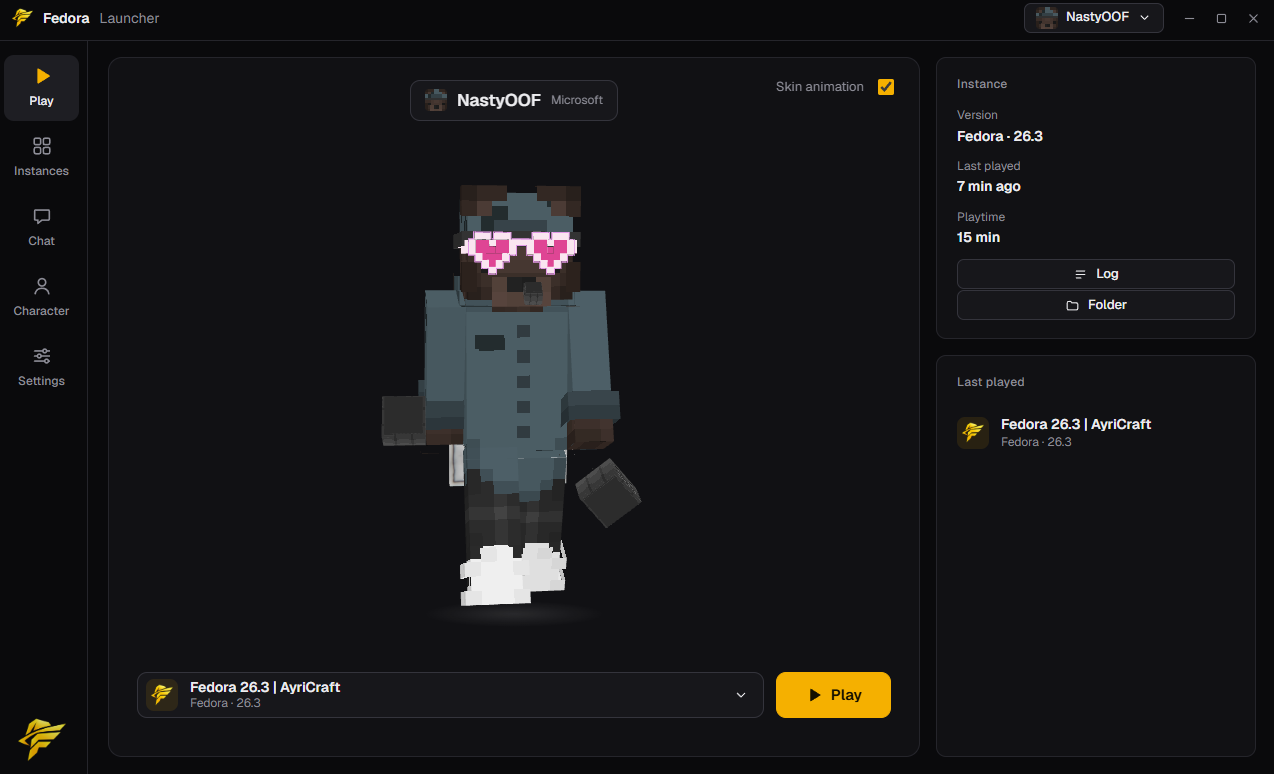
See the launcherin action.
Play, manage instances, add mods, resource packs and shaders, and share your setup with a link.
Design yournametag.
Try it right here: colours, gradient and animation. In the game other Fedora players see exactly this.
 Steve
SteveThe launcher.Your way in.
You start and manage Fedora through our own launcher. It is part of the client and your entry to the game.
Questions?Answers.
Do I need a Minecraft account?
Yes. You sign in with the Microsoft account that owns Minecraft Java Edition, on the website and in the game.
Which Minecraft version is supported?
Minecraft Java 1.21.11.
Do other players see my cosmetics?
Yes. Other Fedora players see your cosmetics and your nametag.
Can I switch modules off?
Yes. Every module can be switched off and customised, and you drag the HUD modules wherever you want them.
Where do I get the launcher?
On the download page. As long as the launcher is not available, the page says so.
Our Team.
The people behind Fedora.
MrPresidentWhite
AdminNastyOOF
AdminReady to play?Get the launcher.
Your way into Fedora starts with our own launcher.